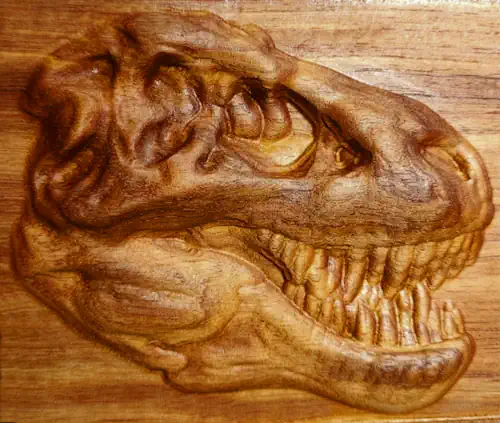
Take customization and capability to a whole new level. Deliver what your competition cannot - astounding artworks quickly and easily.

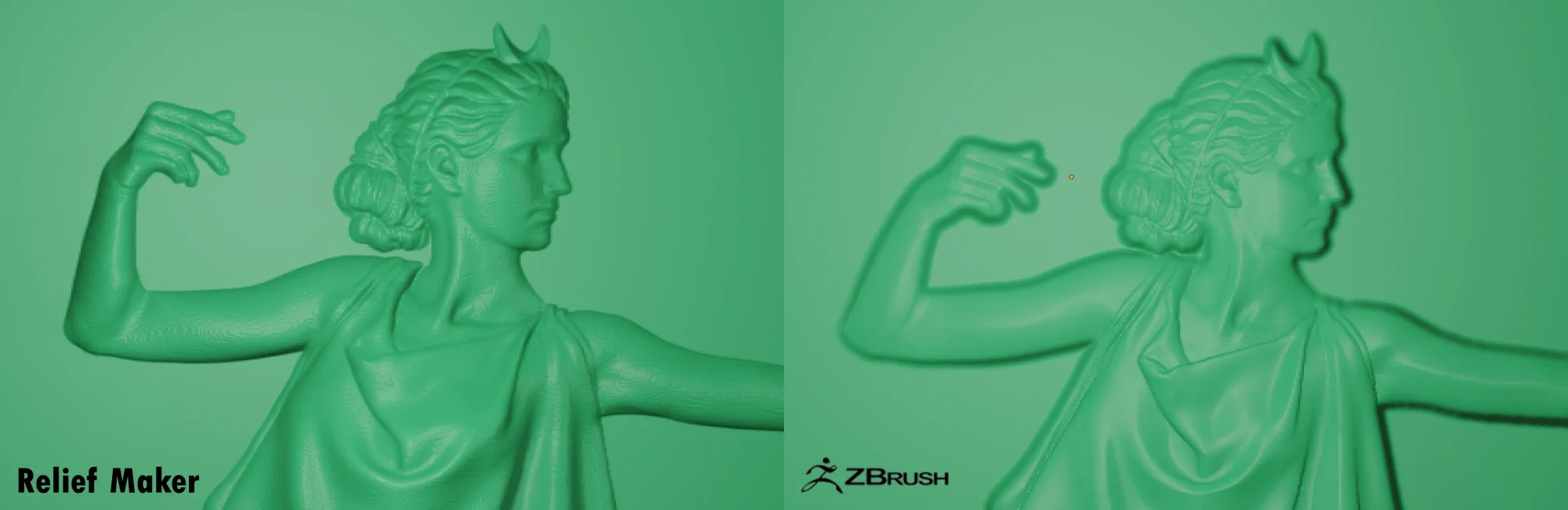
Compare Relief Quality

Relief Maker vs ZBrush
Take 37% off during December. Learn more »

Create High-Quality Reliefs from 3D Models

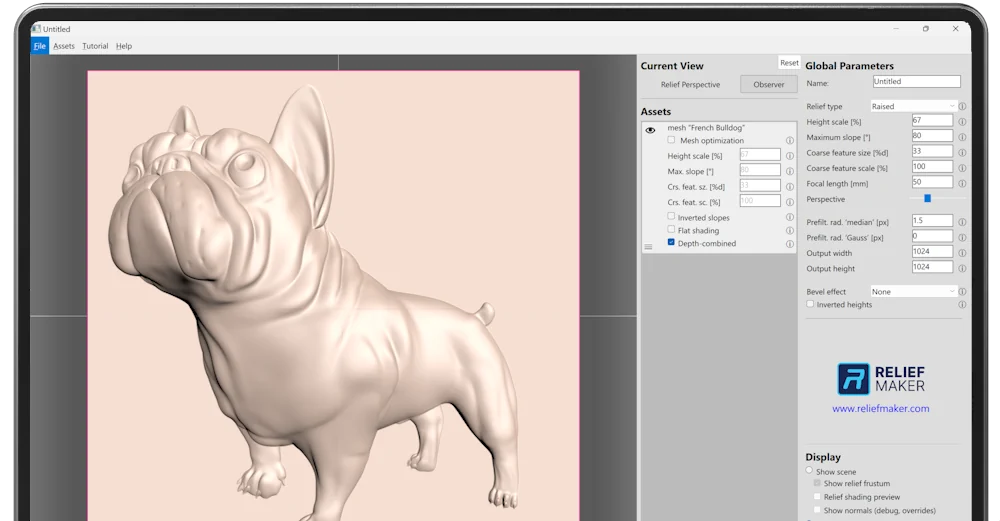
Manufacturing-ready 3D reliefs from any 3D model at any angle. Enhance your projects with beautiful detail - works with the CAD / CAM / CGI software you already use.
Try Relief Maker Pro Free

Relief Maker creates the highest-quality reliefs, and it's not even close.

Unbelievable Resolution
Fast Workflow
Cleanest Outputs
Hand-Crafted Quality
Easy to Learn
Geared for Manufacturing
Any Model, Any Angle
Empower Your Artistry
Unbelievable Resolution

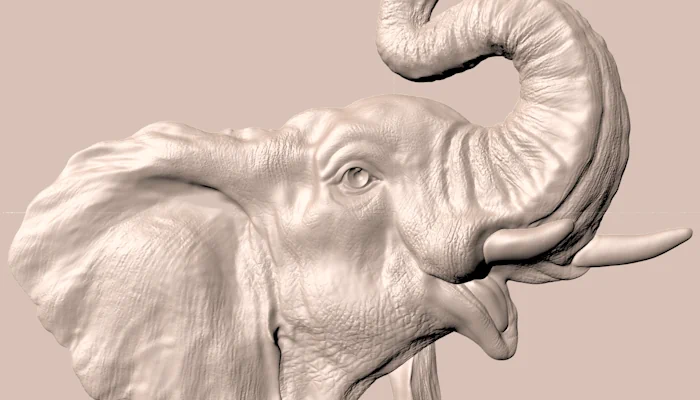
Capture the finest micro-details of your source models in relief.

Extremely high-resolution capture for demanding applications, especially for coin and jewelry. Output up to 16384x16384. Typical usage will output 4096x4096.

For Any Product, any Process

Relief Maker's robust applications enable artistic freedom for any product or process, from jewelry to coin to sculpture.
Sign
Coin
Jewelry
Woodworking
Art
Scripting
Data
File Types
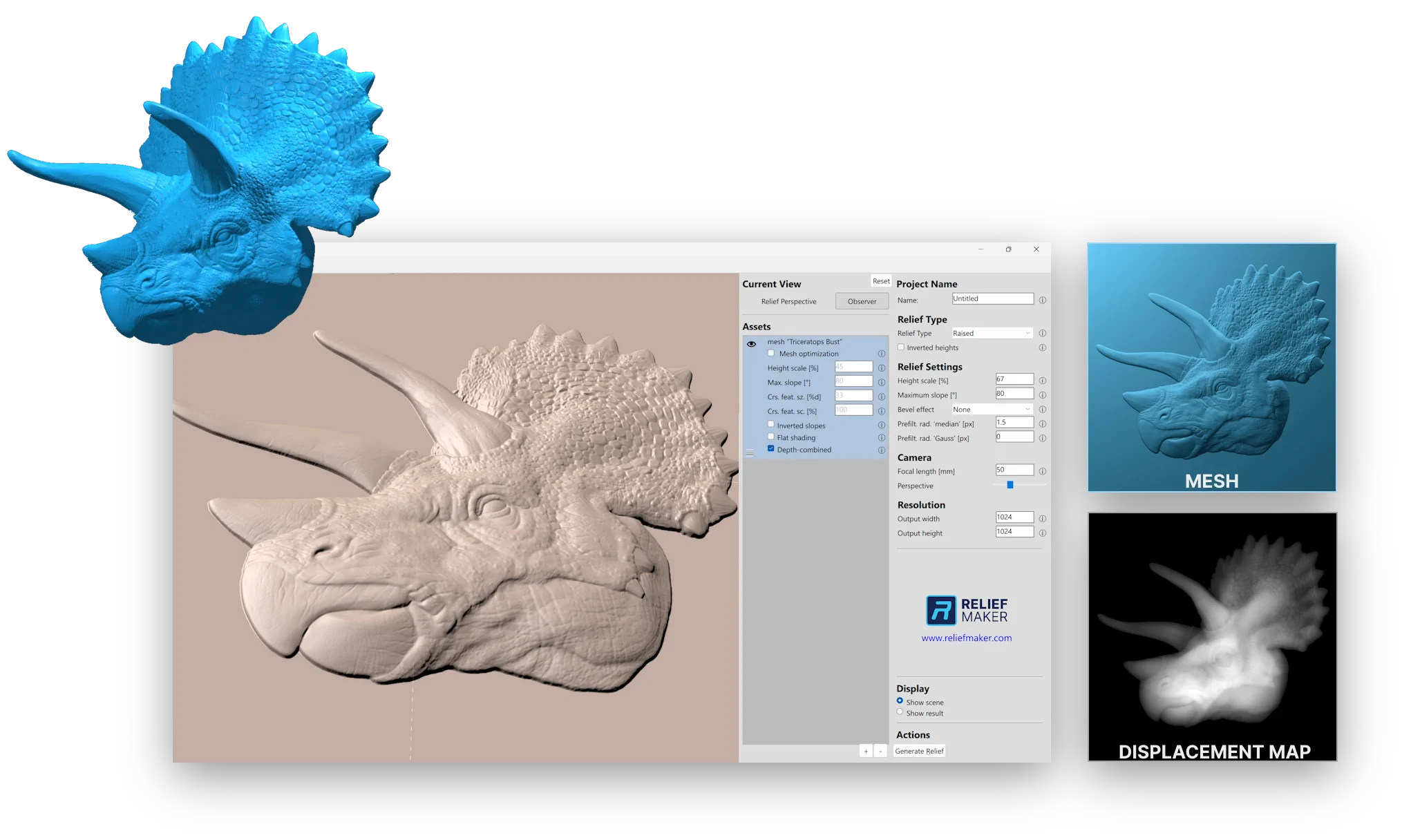
Remarkably Fast Workflow

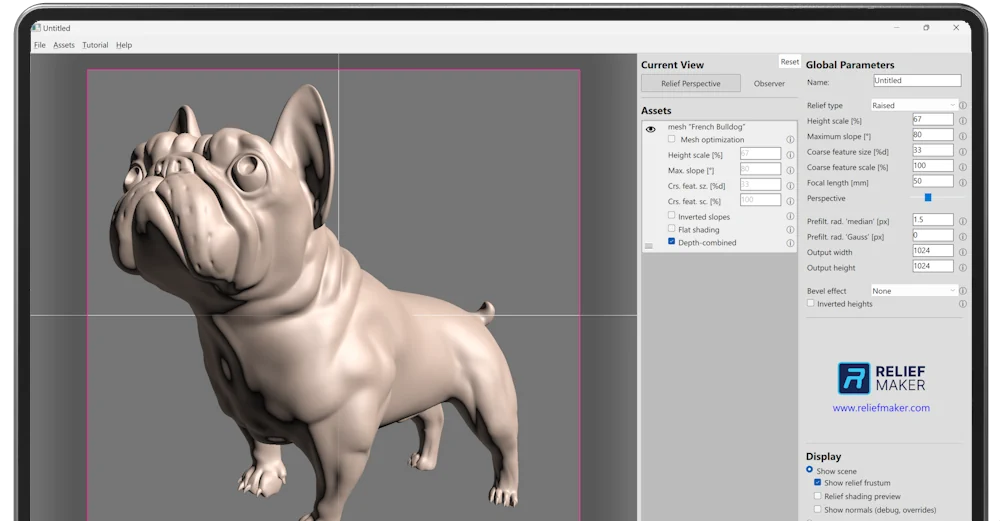
Tweak just a few settings and press Generate.

Relief Maker has a small handful of impactful options that allow you to quickly dial in the artistic vision and manufacturing requirements.
Model courtesy of Gerardo Parra
Squeaky Clean Outputs

Avoid endless rework, smoothing, and tweaking downstream.

Relief Maker's outputs are ready to go pretty much out of the box. Even triangulation, clean edges, no "cliffs", and amazing depth compression all mean less time downstream, saving you money and sanity.
Unlimited creative freedom

Explore every angle to discover the perfect bas relief.

Dramatically change the feeling of your piece by changing the orientation of the relief, creating deeper emotional connection to the artwork.
Compositing

Craft engaging scenes with multi-model import

Alone, any model can make a great relief. But combined, you can hand-craft a scene that is more than the sum of its parts. Fulfill your creative vision with endless combinations. Apply different relief settings per-asset for fine-tuning.
Blair-Jennifer King
It works better than I could have imagined. What would take many hours of modeling could be done in seconds. It's going to be a real game changer for doing custom work on my CNC.
Azrael Grimm
This is a game changer in terms of simplifying your pipeline. My mind is blown by the demo. This is a game changer in terms of simplifying your pipeline. Useful in every aspect of a makerspace from 3D printing to CNC routing. Well done!
Jim Licaretz
This program is much better at creating reliefs from pieces in the round than ZBrush or Freeform Modeling Plus!
Steve Lucas
So I've been playing around with this software for a couple weeks now and I've got to say that it produces some truly great relief maps. I've been very happy with the results. Currently designing coins for laser engraving using this.
Mark Barr
It is an amazing program. Looking forward to future updates.
ThePlasticKing
As I explore the capabilities of Relief Maker, I am truly impressed by its features and ease of use. The ability to create 3D reliefs for various applications, from CNC to 3D printing, is invaluable.
Eric Wehrs
I've played around with it a little bit and I am VERY impressed. We have many different use cases for Relief Maker that excite us.
Buffalo Bullion
Every one don't hesitate on this software. I have been playing around with it for a week or so and I can tell you it puts out better reliefs than the other 3D programs. I will be posting some videos over on my TikTok. Definitely worth the money.
George Engel
I am completely bowled over by your program and how it can GREATLY impact my artwork. MUCH BETTER than ZBrush.
George Lace
With this incredible new Relief Maker program, I am going to transform the full, 'in the round' Medici horse into a mid-height relief which will be ideal for these fire-gilded Jasperware porcelain roundels.
Anthony Nowlan
I LOVE this software - makes things so much easier.
David Sullivan
I bought the Pro version. I have a CNC and a woodworking business and your program looked much better that what’s out there.
Blair-Jennifer King
It works better than I could have imagined. What would take many hours of modeling could be done in seconds. It's going to be a real game changer for doing custom work on my CNC.
Azrael Grimm
This is a game changer in terms of simplifying your pipeline. My mind is blown by the demo. This is a game changer in terms of simplifying your pipeline. Useful in every aspect of a makerspace from 3D printing to CNC routing. Well done!
Jim Licaretz
This program is much better at creating reliefs from pieces in the round than ZBrush or Freeform Modeling Plus!
Steve Lucas
So I've been playing around with this software for a couple weeks now and I've got to say that it produces some truly great relief maps. I've been very happy with the results. Currently designing coins for laser engraving using this.
Mark Barr
It is an amazing program. Looking forward to future updates.
ThePlasticKing
As I explore the capabilities of Relief Maker, I am truly impressed by its features and ease of use. The ability to create 3D reliefs for various applications, from CNC to 3D printing, is invaluable.
Eric Wehrs
I've played around with it a little bit and I am VERY impressed. We have many different use cases for Relief Maker that excite us.
Buffalo Bullion
Every one don't hesitate on this software. I have been playing around with it for a week or so and I can tell you it puts out better reliefs than the other 3D programs. I will be posting some videos over on my TikTok. Definitely worth the money.
George Engel
I am completely bowled over by your program and how it can GREATLY impact my artwork. MUCH BETTER than ZBrush.
George Lace
With this incredible new Relief Maker program, I am going to transform the full, 'in the round' Medici horse into a mid-height relief which will be ideal for these fire-gilded Jasperware porcelain roundels.
Anthony Nowlan
I LOVE this software - makes things so much easier.
David Sullivan
I bought the Pro version. I have a CNC and a woodworking business and your program looked much better that what’s out there.
.

Relief Maker Is Useful For...

Any project or product that can benefit from highly customizable reliefs - from manufacturing to movie special effects.
Sign Making
Coin Design
Fine Art & Home Goods
Jewelry
CNC Projects
3D Printing Projects
Game / CG Assets
Mold Cavity Design

Add Reliefs to Your Existing Projects

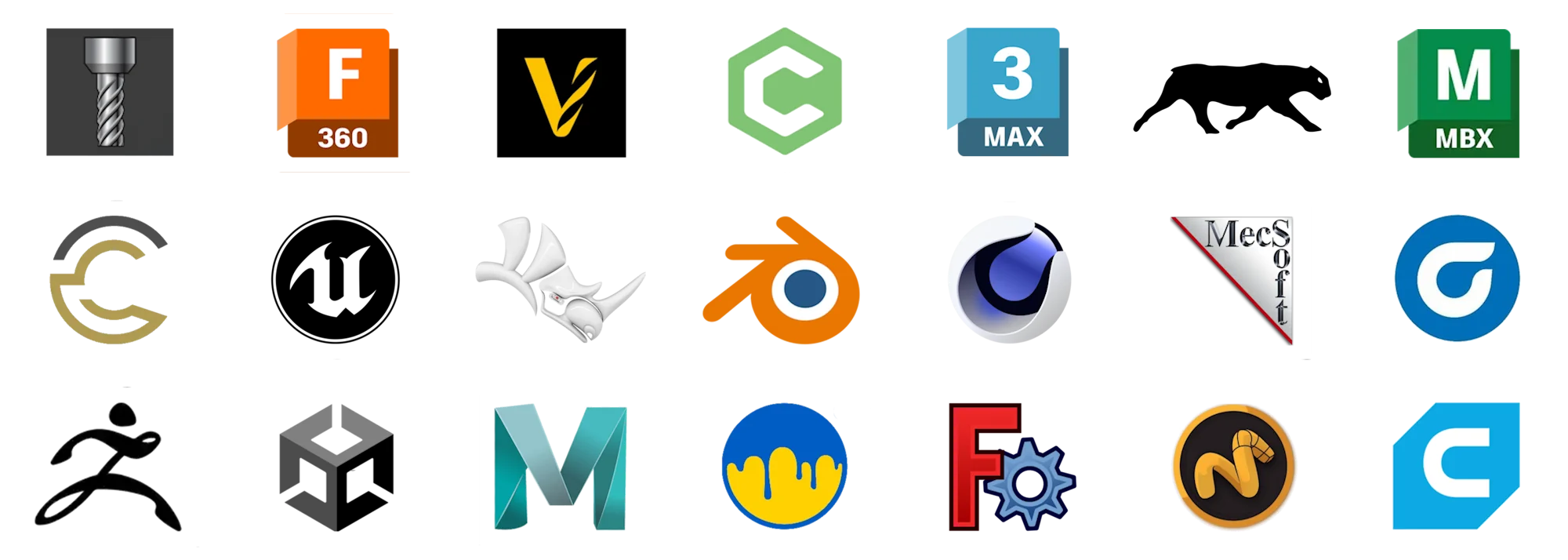
Works with just about any design, CAM, 3D print, sculpting, game engine, or CG software
See Software Guides

Unparallelled Depth Capture

Capture high-resolution depth into a relief like no other solution on the market.

Manufacturing In Mind

All reliefs are overhang free and settings allow you to fine-tune for your machine.

Infinite Customization

Create reliefs of 3D models from any angle.

Easy to Learn

Make reliefs literally in seconds. Relief Maker only makes reliefs, and it does it very easily.

Raised & Sunken Reliefs

Create mid, low, shallow, and sunken reliefs - or anything in between.

Ridiculous Quality

Relief Maker is unique in its ability to capture the appearance of depth and the feeling of the scene. No other method comes close.

Save Money

Buying "OK-enough" reliefs on Etsy or other marketplaces? Make your own, and they'll be exactly what you want.

Unique in the Market

No other software focuses on reliefs and provides the level of quality and speed as Relief Maker.

Make More Money

You'll be able to offer clients over-the-top cool products that can be customized easily. Your competition simply will not be able to do what you can do - unless they have Relief Maker too.

Advanced Options

Most people won't ever use 80% of the options, but advanced layering, normal map import, and slope inversion allow for interesting effects.

How It Works

It's remarkably easy.

1. Import a 3D model

Import one or more OBJ or STL models that you've made yourself, scanned, or found online.

2. Find your angle

Change the view to find the perfect angle. It's so fast you can do it with clients watching.

3. Tweak some settings

Typically, you'll focus on just 2-3 numbers. There isn't that much to worry about.

4. Press Generate Relief

Reliefs are generated in seconds.

5. Export the relief

Export a height map as a PNG or export an OBJ or STL. Use it in your CAM, CAD, or CG software.

6. Use it in your software

Import the relief into your CAD, CAM, or CG software and use it within your existing and new projects.

Works With Your Workflows

Relief Maker outputs can flow into your existing software like Fusion 360, ZBrush, Blender, or Vectric.
See Software-Specific Tutorials
Discover the Most Comprehensive Relief Solution
Tailored for manufacturing-centered workflows for coin, jewelry, woodworking, stonework, and mold.
Start a Free Trial Now